Build and Installation
Install from Release Binary
ActViz is a universal windows application (UWP) and still in development.
You need to enable Developer Mode in Windows 10 settings before installing ActViz binary.
Follow Enable your device for development on Microsoft Dev Center to enable Developer Mode.
The ActViz binary is available at ActViz release tab. Download and unzip the compiled binary in your local folder.
Right click on file Add-AppDevPackage and select Run with Powershell to install, as shown in the figure below.
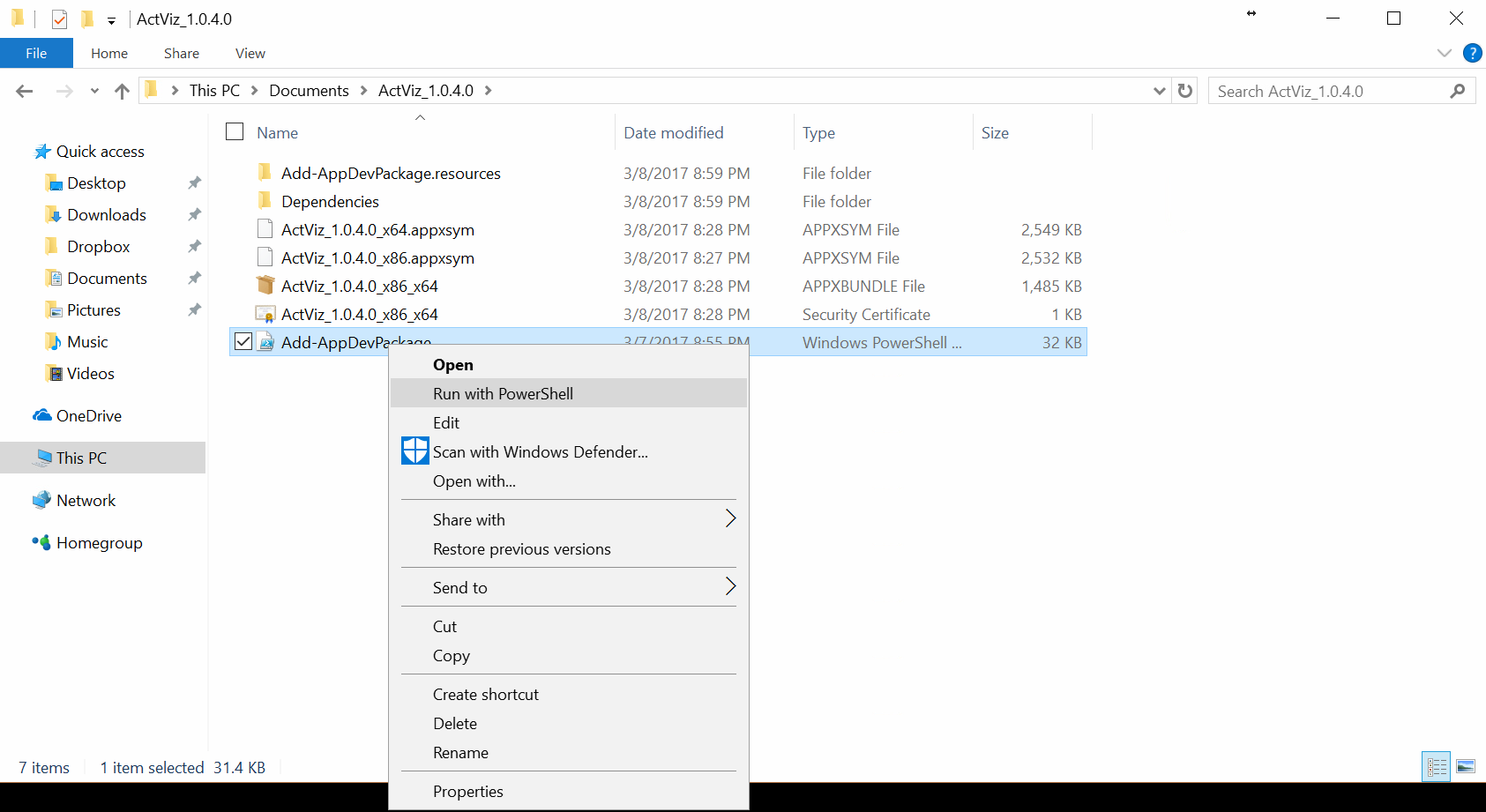
After installation, you can run ActViz from start menu.
Build From Source Using Visual Studio 2017
The ActViz application is developed using Visual Studio 2017 Community. You can download Visual Studio 2017 from Visual Studio Website.
You may download the source codes from github, unzip to your local directory and open ActViz.sln.
You can also add your cloned git repository using Team Explorer in Visual Studio to pull the source code
to your local directory.